Admins can turn the general possibility to write messages on/off. When messages are turned on, further restrictions may apply due to other configurations.
To turn messages on/off in general:
-
Log into the backend.
-
Go to: Event Settings – > Event Configuration – > Messaging
-
Switch On/Off. Click Save.
If you want to restrict messaging based on user categories please use the Meeting Matrix or contact your Converve Project Manager.
Messaging possibilities can be further limited based on the meeting status between two users.
Please contact your Converve Project Manager to change this.
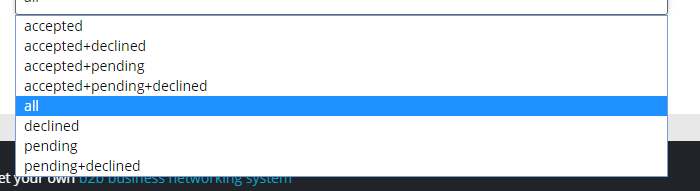
The following options are available:
all: Users can send each other a message, regardless of what kind of interactions have already taken place.
(If messaging is turned on and the meeting matrix allows it.)
accepted: Users with an accepted meeting request between them can message each other
declined: Users with a declined meeting request between them can message each other
pending: Users with a pending meeting between them can message each other