Here we describe the first steps you can take after you have received access to your platform from your project manager.
1 Branding
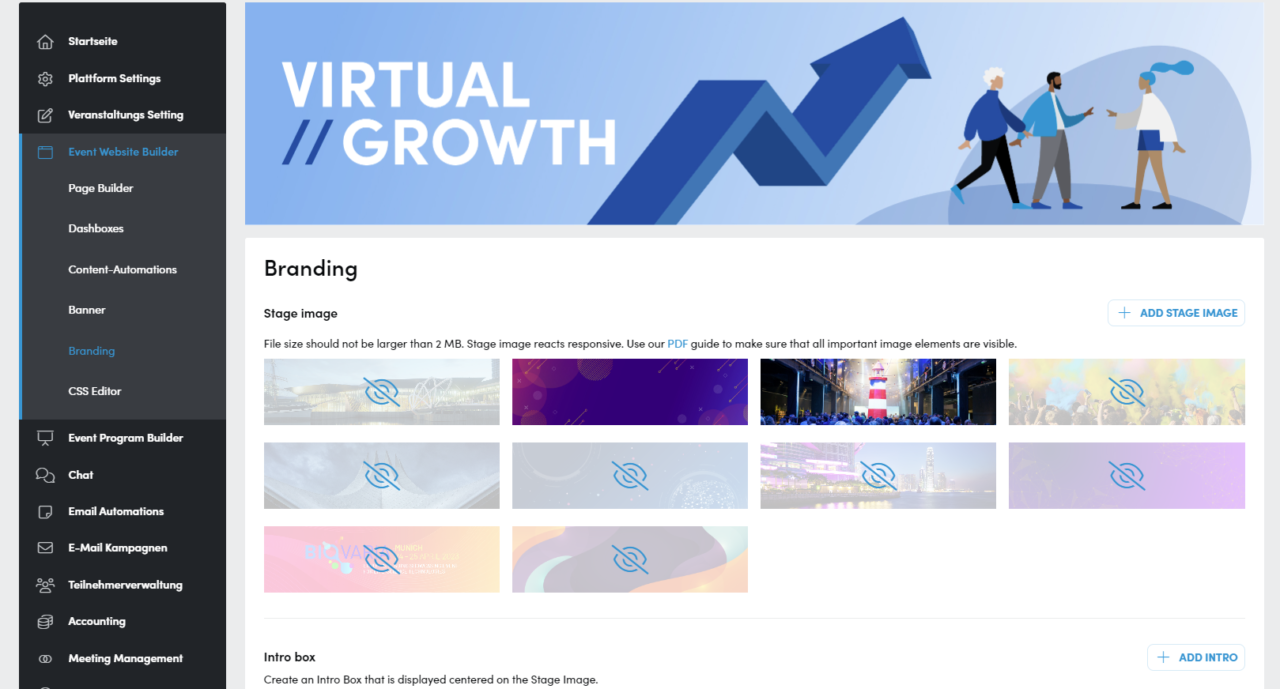
As the first menu item, click on Event Website Builder – > Branding. Here you can set the colors of the platform, the stage image and much more to give your platform an individual look. You can find out exactly how to do this here: Branding
2 Page Builder
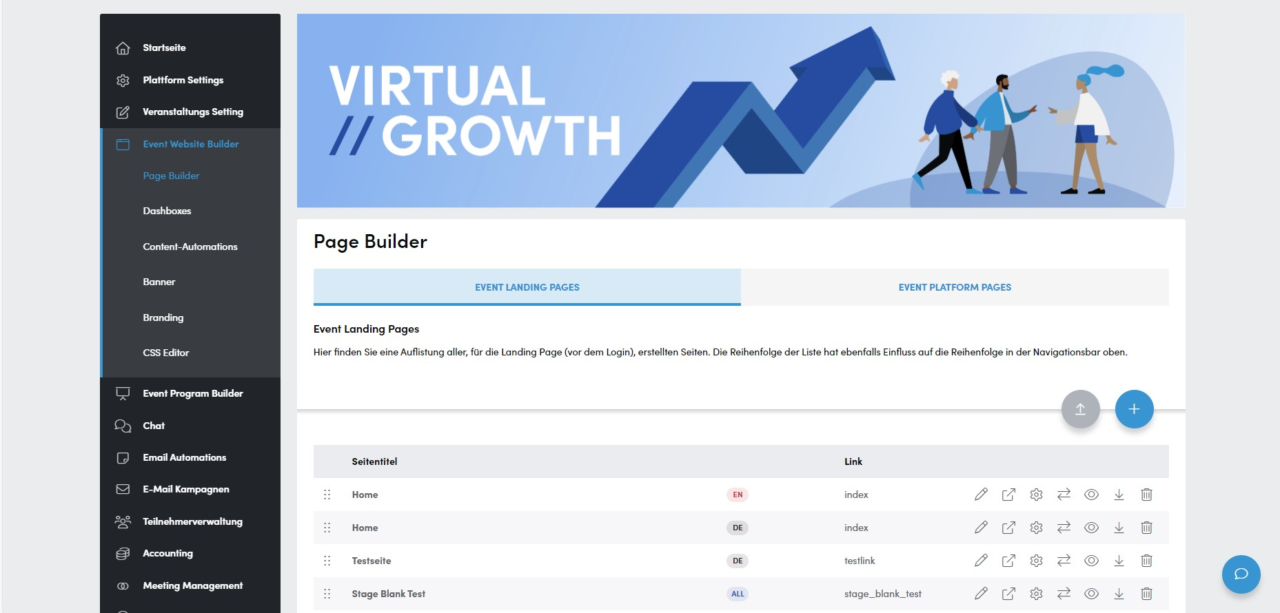
The second area is the Page Builder, with which you can customize the content of the landing page and add your own content. You can also create your own platform pages here. You can find out exactly how to do this here: Page Builder
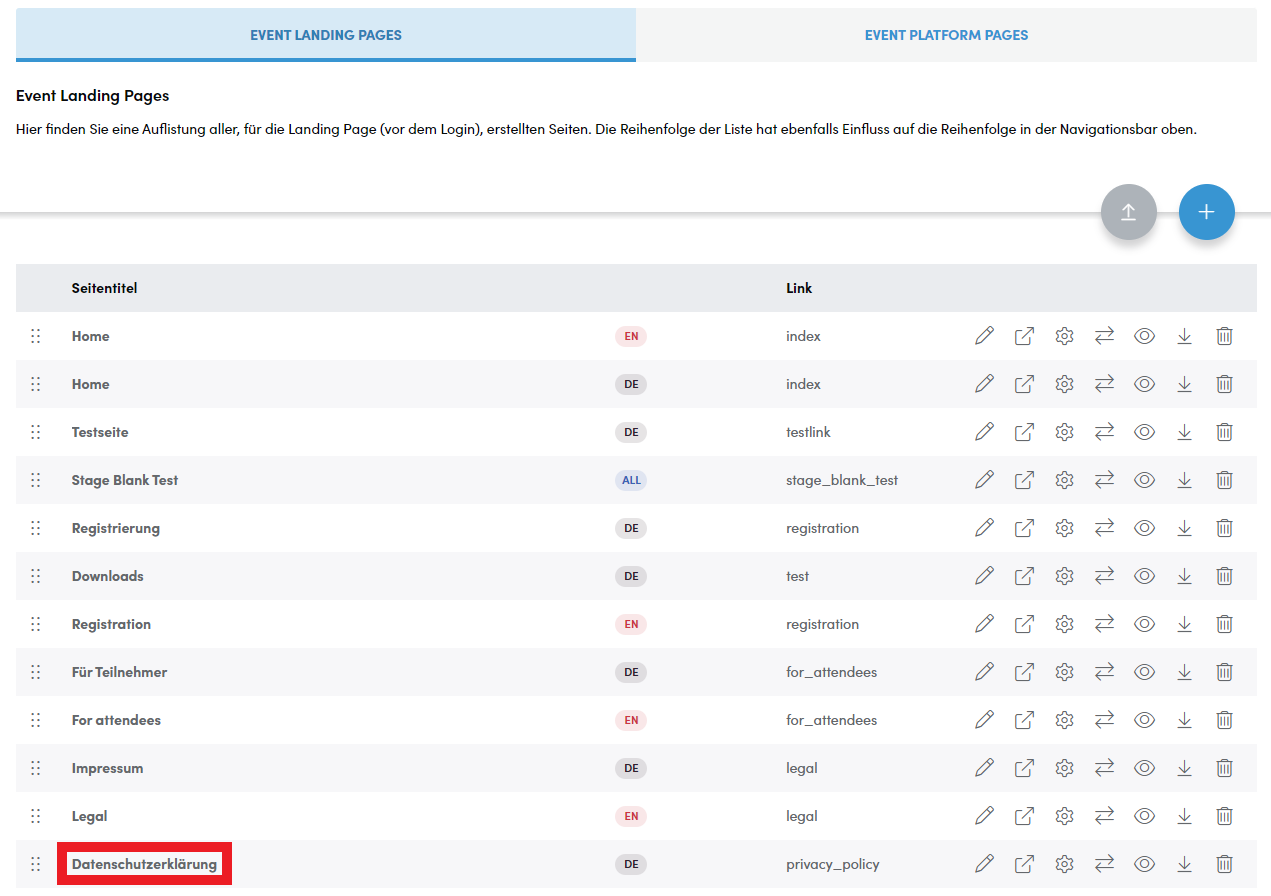
The first 2 existing pages that you should take a look at are the pages “Impressum / Legal” and “Datenschutzerklärung / Privacy Policy”. The first 2 existing pages that you should take a look at are the pages “Impressum / Legal” and “Datenschutzerklärung / Privacy Policy”. More on this in the next point.
3 Legal
Thirdly, you must adapt the legal notice. Responsibility for the content of the platform lies with the company that has concluded the contract with Converve for the platform. The details of this company must be entered in the legal notice. If you are not sure what exactly you need to enter here, please contact your legal department. To customize the legal notice, click in the menu on the left on Event Website Builder – Page Builder. You will find Impressum/Legal under Event Landing Pages.
The page exists once for each language in which your platform was created and each must be customized individually.
If your platform is monolingual, there is only one page.
We explain exactly how to customize a page here: Page Builder
4 Privacy Policy
Just as for the legal notice, the contractual partner is also responsible for a correct privacy policy. You are welcome to use our template as a basis. Customers often also use data protection declarations from existing websites. What exactly needs to be included in this privacy policy also depends on what data you collect from your participants and how you subsequently process it. Please discuss the details with your legal department. You can also find the page under the Event Landing Pages in Event Website Builder – Page Builder.
The page exists once for each language in which your platform was created and each must be customized individually. If your platform is monolingual, there is only one page.
We explain exactly how to customize a page here: Page Builder
We will be happy to have your privacy policy legally checked on request. Please ask your project manager for the current price for this service.
5 E-Mail Automations
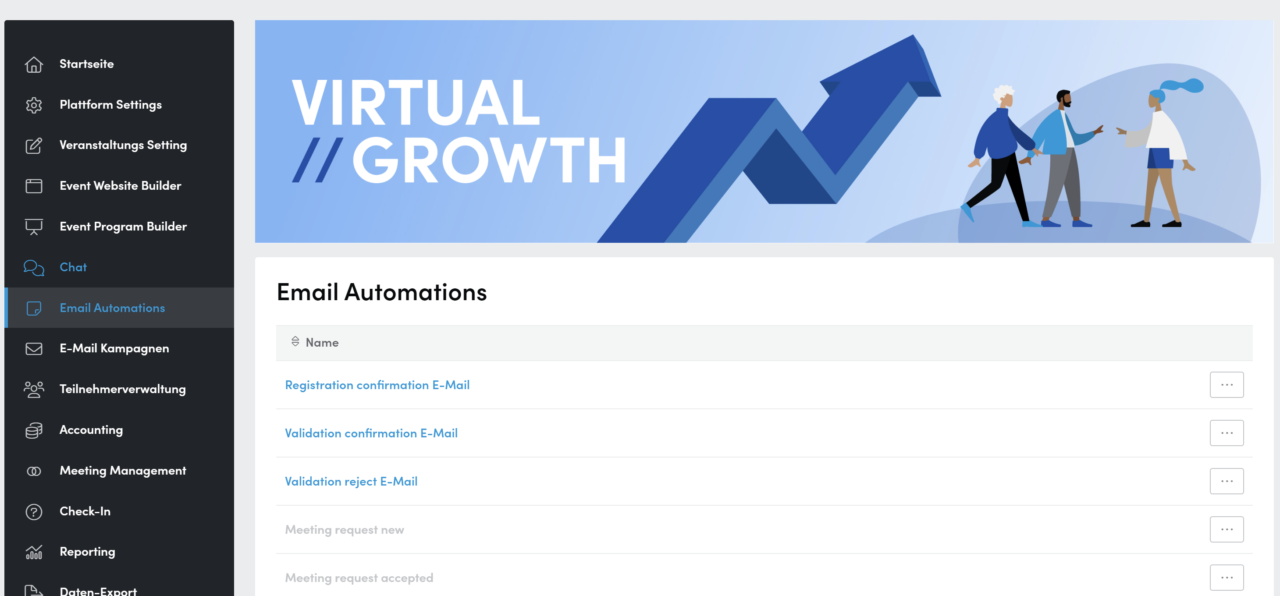
Your Converve platform sends automatic emails in various cases (depending on the settings), e.g. after the successful registration of a participant. The texts of these emails are kept generic and simple by us. You can customize the texts to make them more personal or informative or to adapt them to your event character. You can find these emails in the platform by clicking on Email Automations.
On request, it is possible to individualize certain e-mail automations for individual categories if, for example, a visitor should receive different information than an exhibitor. Please contact your project manager to set this up for you.
You can learn more about E-Mail Automations here:
E-Mail Automations