Reporting
In the Reporting section you will find statistics on meetings and user registrations as well as general information on user behavior.
We explain the content of the individual areas below.
Requests
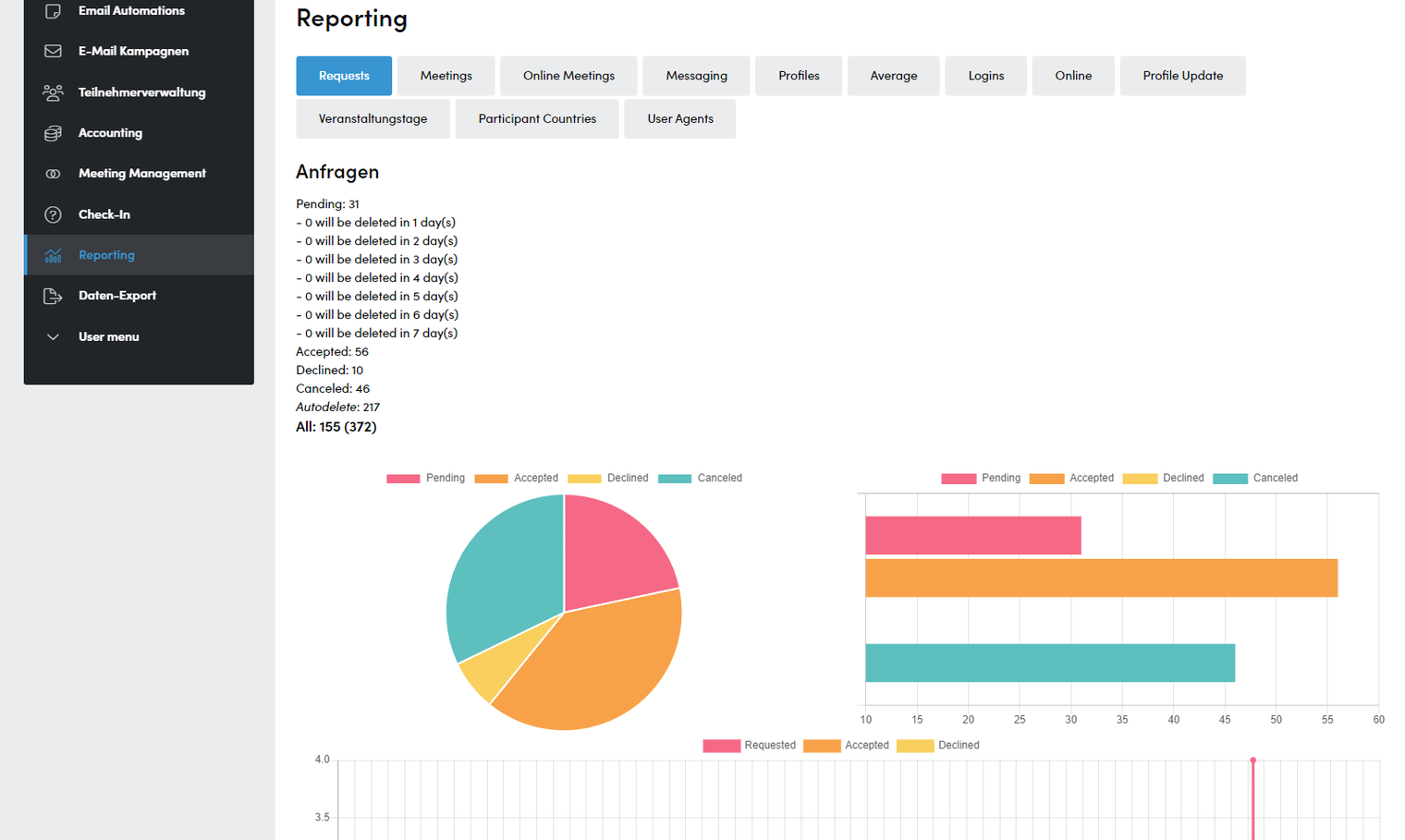
- Listing of all meeting requests according to the following criteria:
- Pending: Number of unanswered requests that are automatically deleted in 1-7 days. The period after which meeting requests are to be deleted can be set by your Converve project manager.
- Accepted: Number of accepted meeting requests
- Declined: ANumber of declined meeting requests
- Canceled: Number of canceled meetings
- Autodelete: Number of automatically deleted meeting requests
- All: Total number of all meeting requests
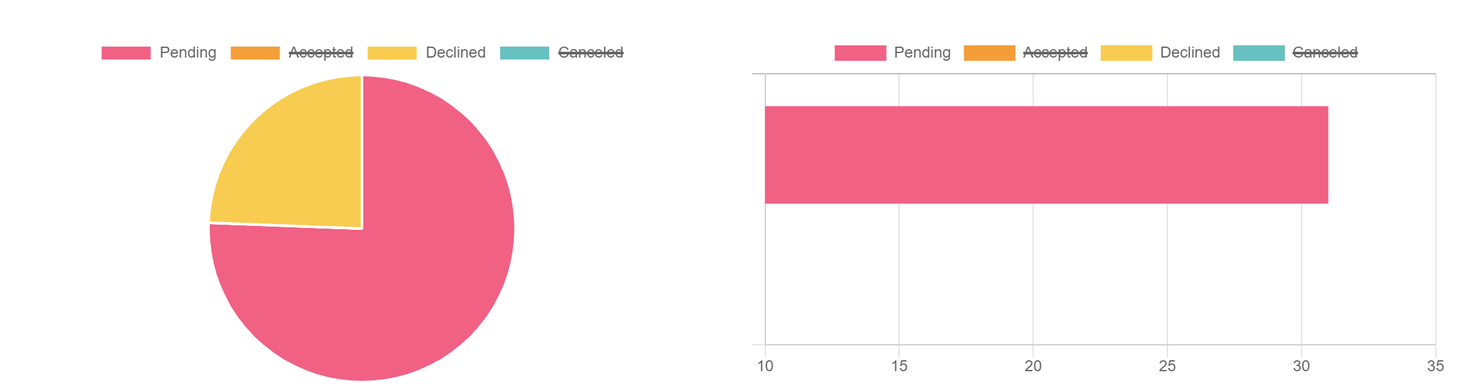
- Individual categories can be shown or hidden in the diagrams by clicking on them in the respective legend.
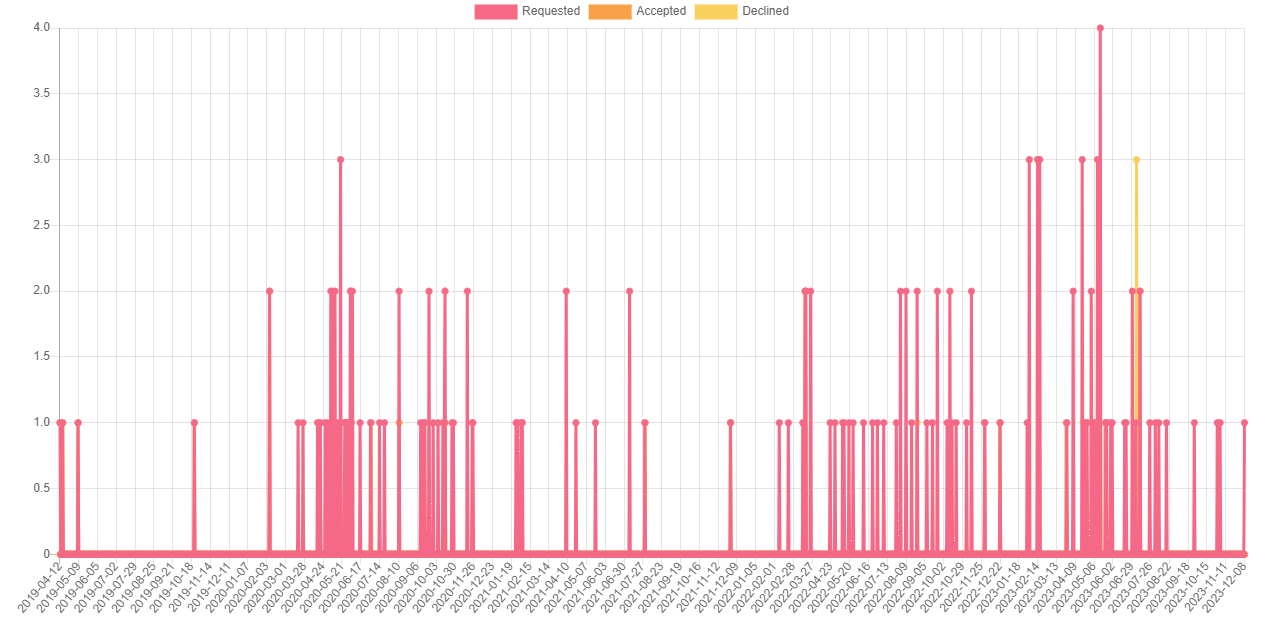
- At the bottom of the page you will find a chart showing requests by date:
Meetings
- Overview of all meetings at your event
- Accepted/pending: Number of all meetings requested and not yet accepted or rejected
- Declined: Declined meeting requests
- Canceled: Canceled Meetings
- Waitinglist (pending): Open meeting requests on waiting lists
- Waitinglist (declined): declined meetings on waiting lists
- Waitinglist (accepted): accepted meetings on waiting lists
- Session count:
Number of sessions with meetings in them
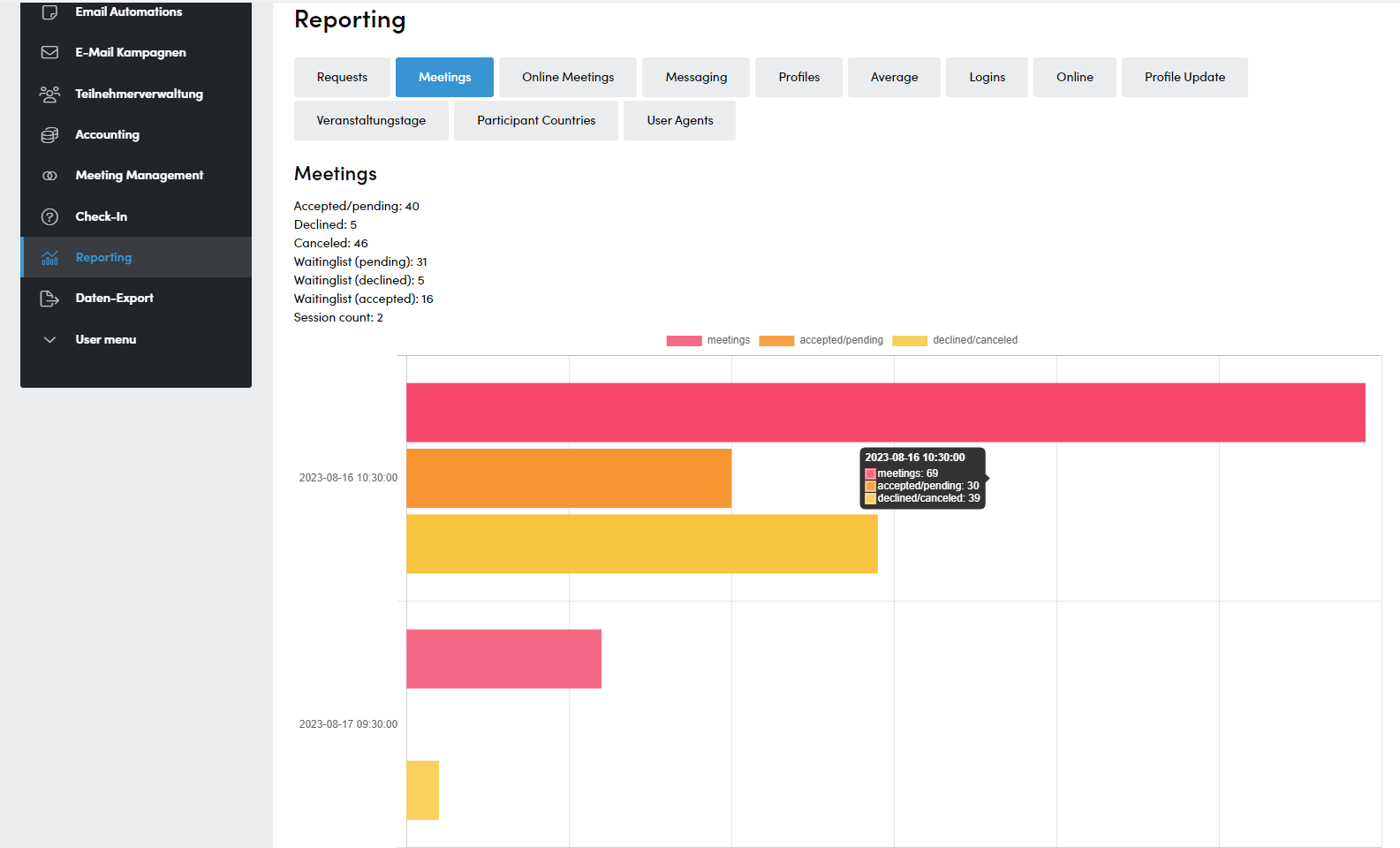
- Individual categories can be shown or hidden in the graphic by clicking on them.
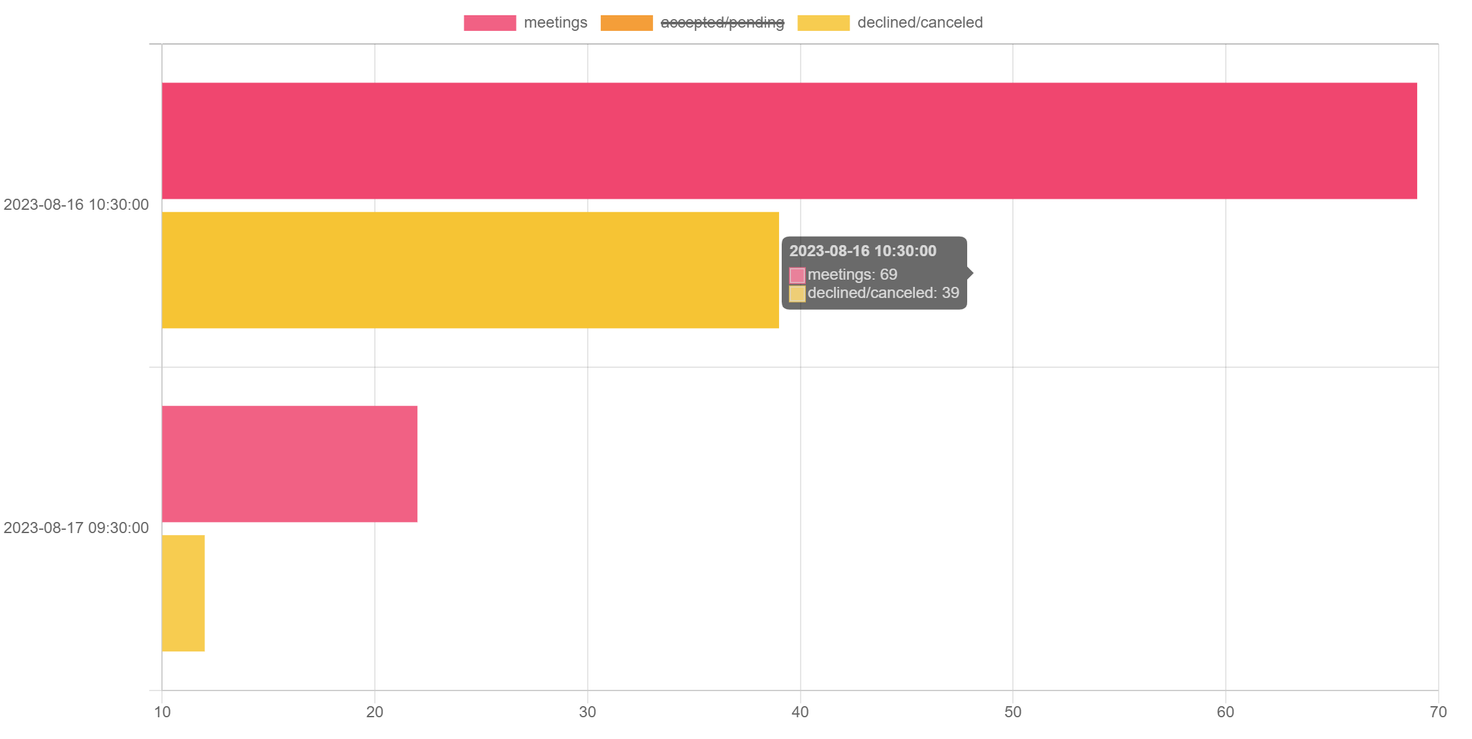
- Move the mouse over a bar to display the respective numbers.
Online Meetings
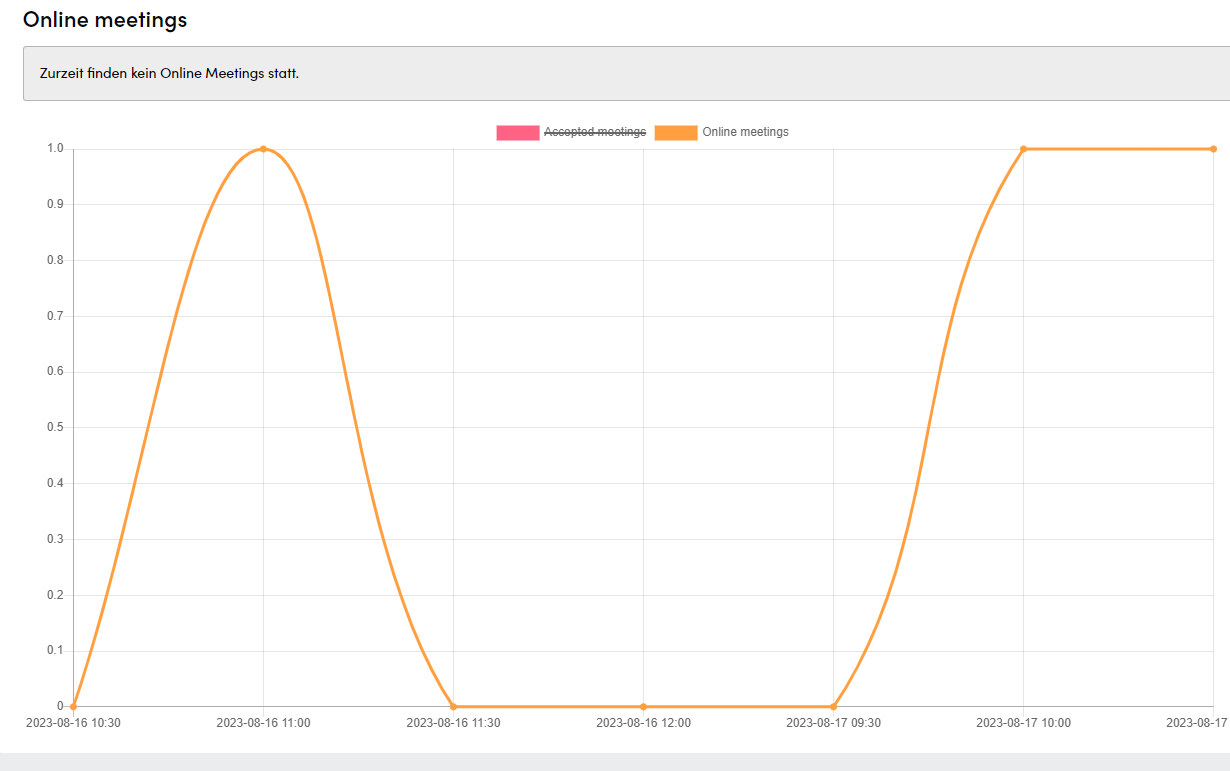
- Graph of all accepted meetings and online meetings by date.
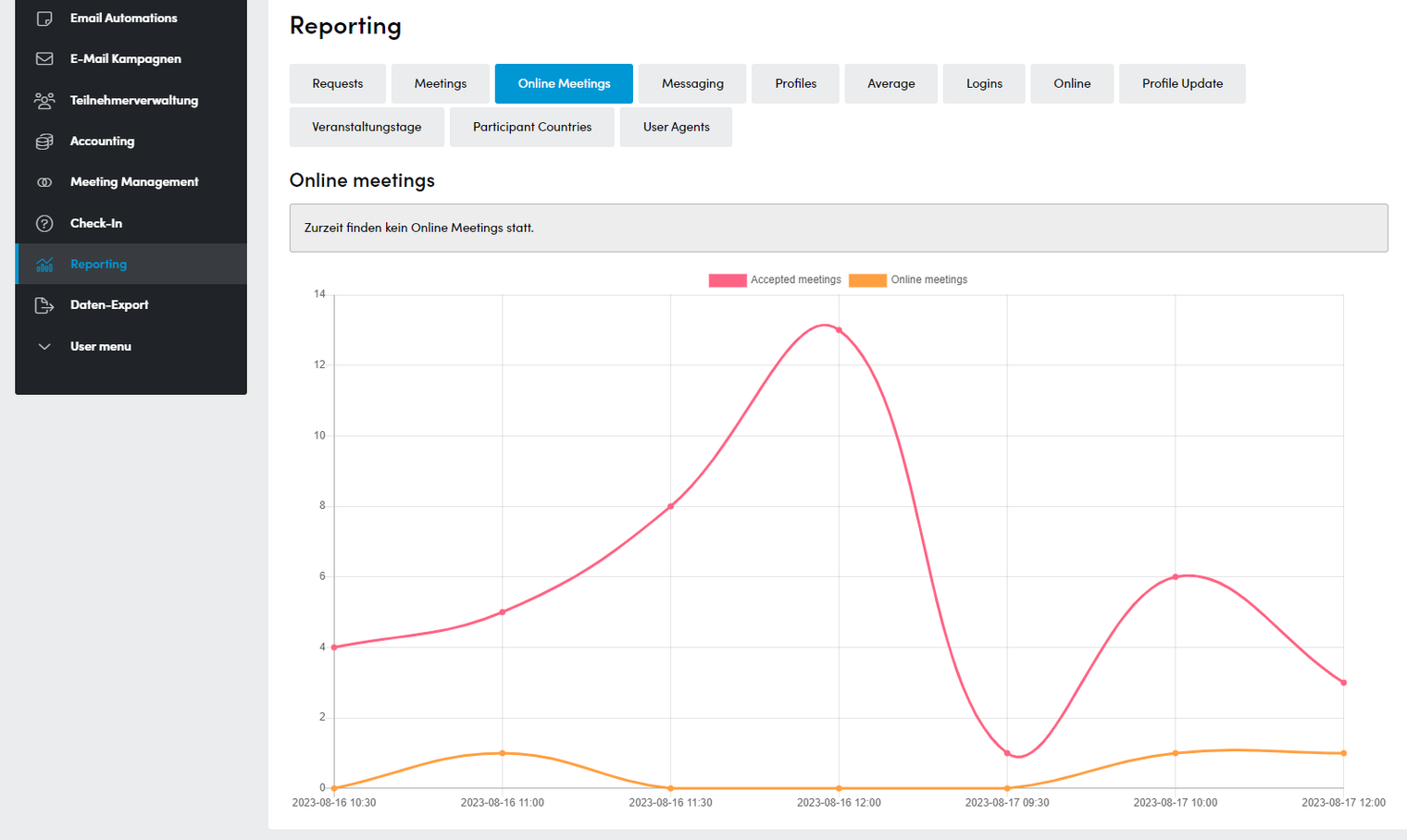
- Displayed categories can be shown or hidden by clicking on them in the legend:
Messaging
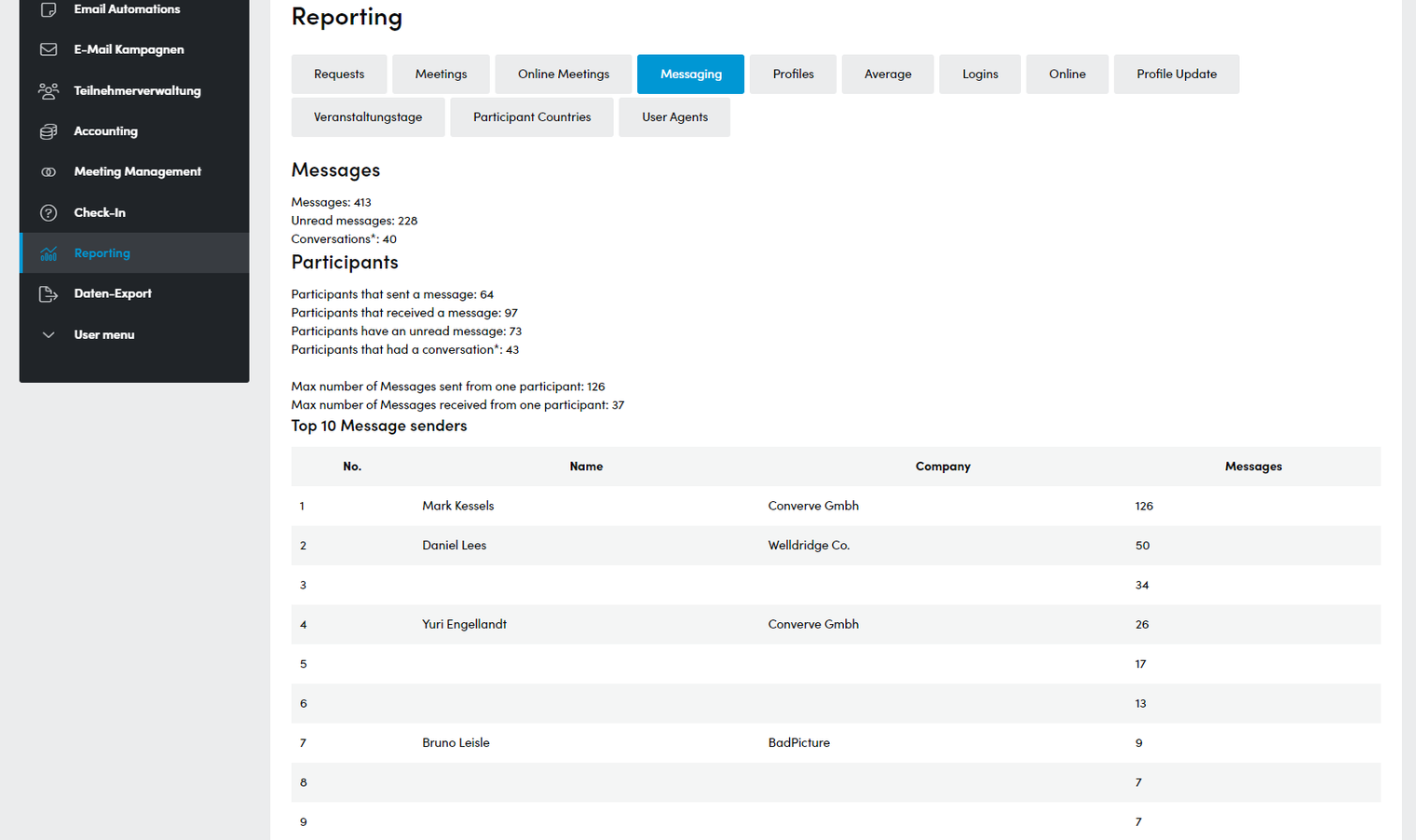
- Number of all messages sent on the platform:
- Messages: Total number of messages
- Unread messages: Total number of unread messages
- Conversations: Number of conversations between two users
- Listing by participants
- Participants that sent a message
- Participants that received a message
- Participants that have an unread message
- Participants that had a conversation
- Highest number of messages sent/received
- Max number of Messages sent from one participants
- Max number of Messages received from one participants
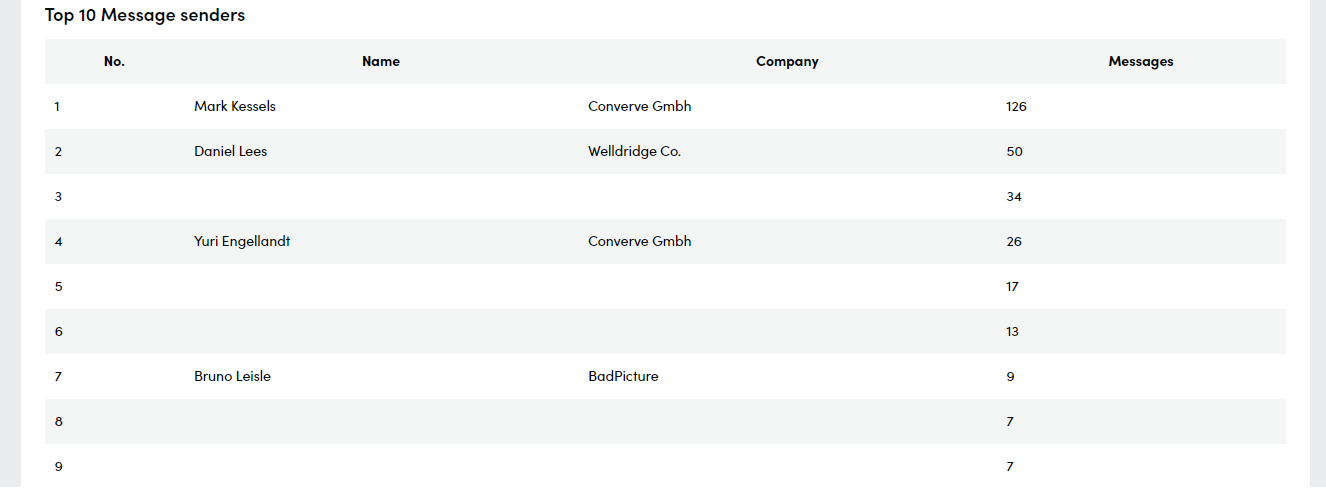
- Top 10 Message senders
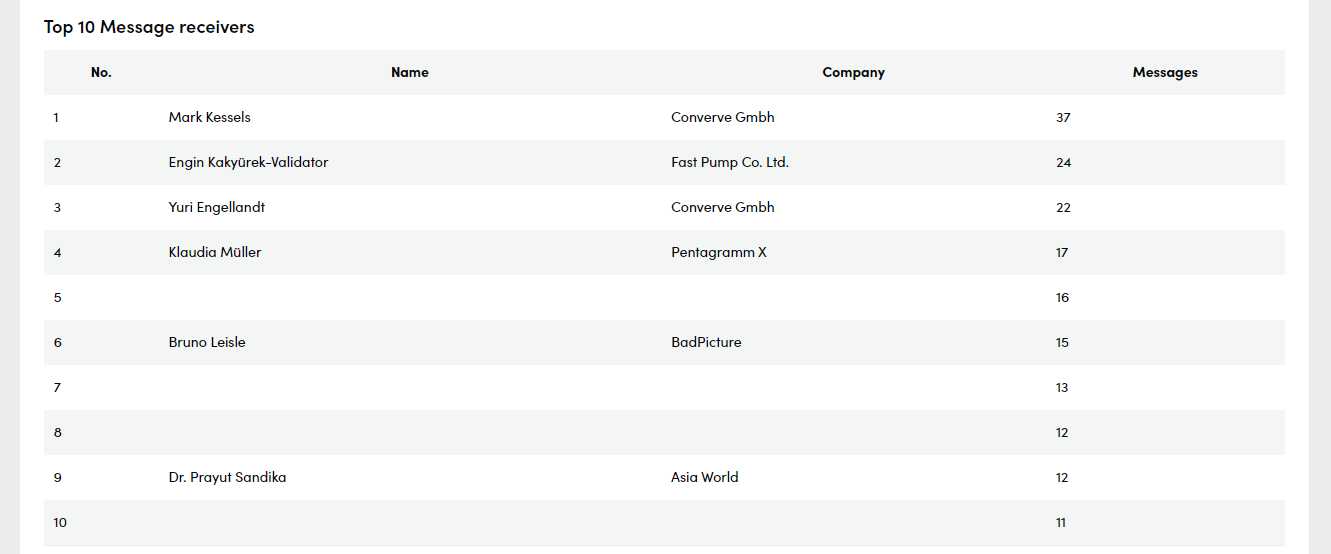
- Top 10 Message receivers
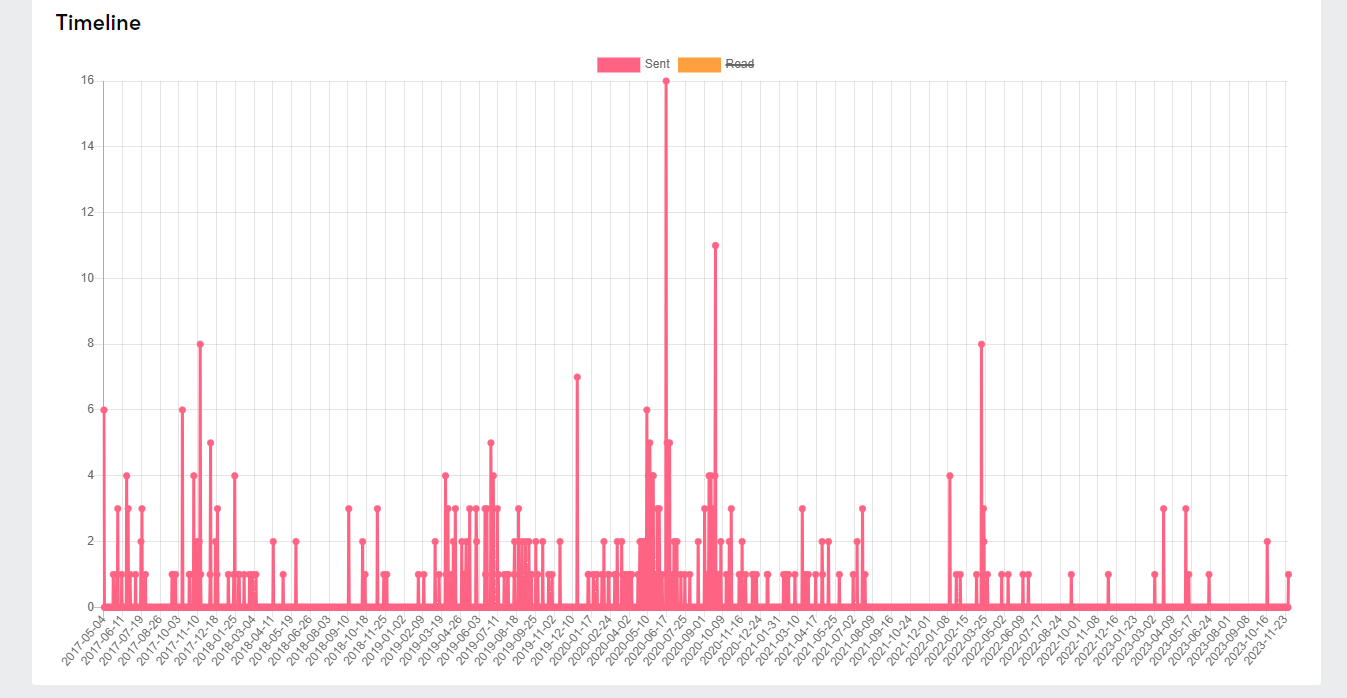
- Timeline: Display of sent and read messages by date
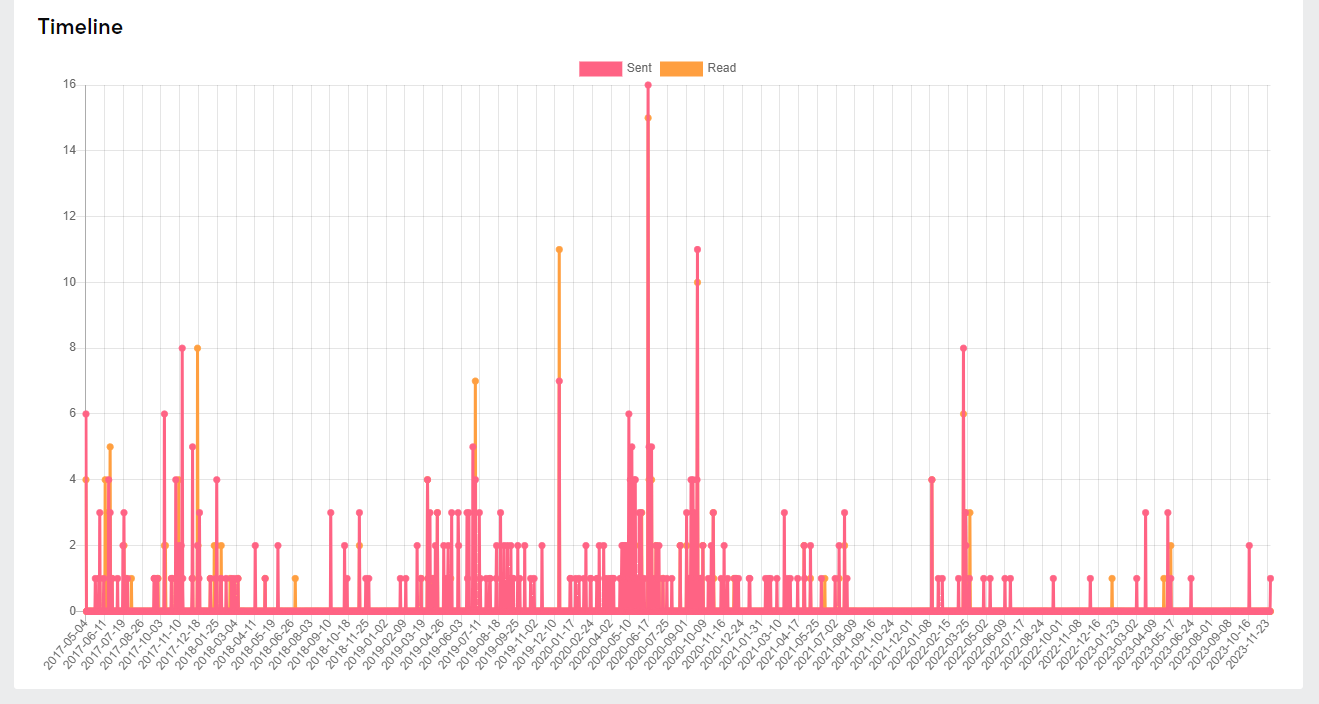
- Categories can be shown and hidden by clicking on them in the legendden
Profiles
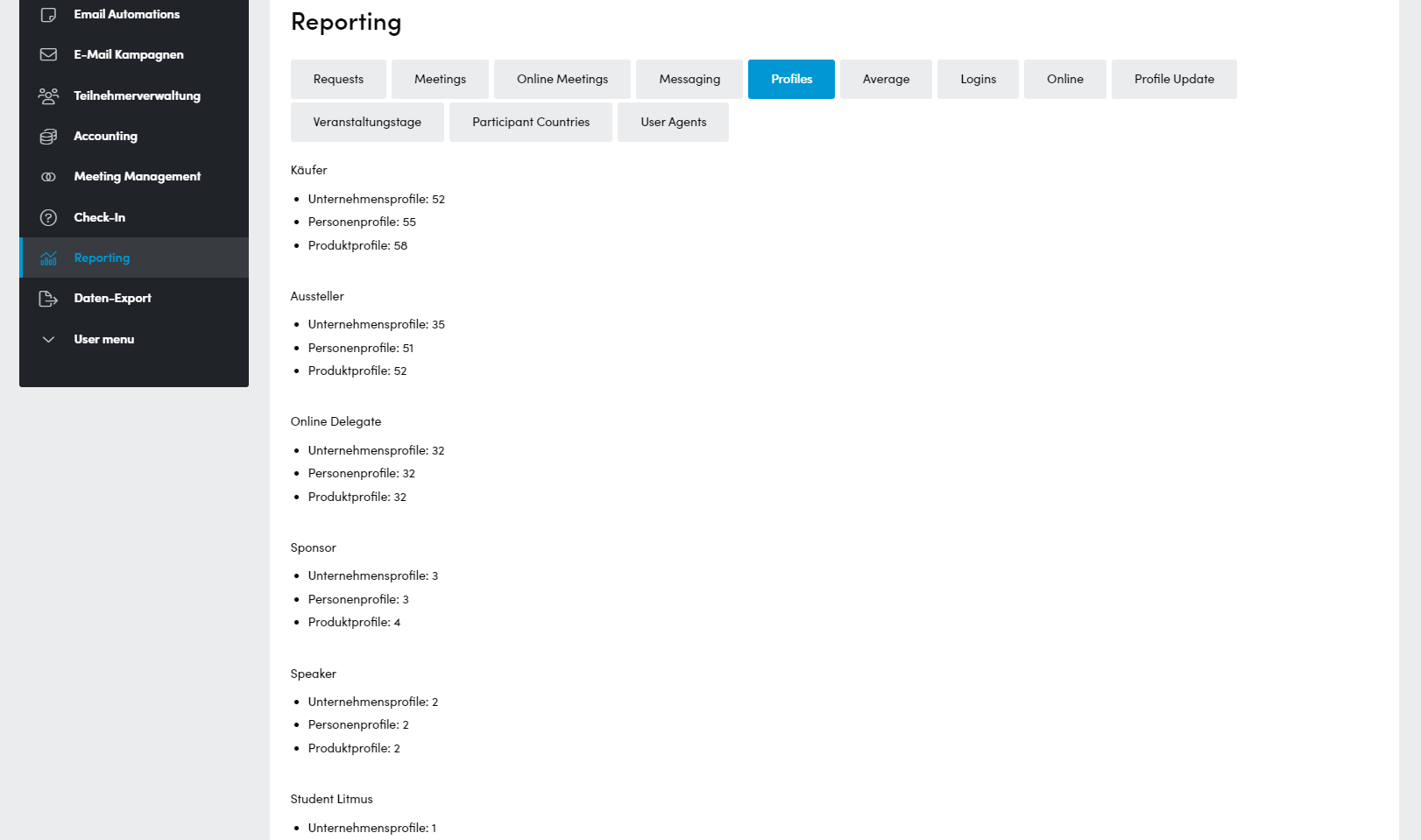
- Number of company, person and product profiles by category
Average
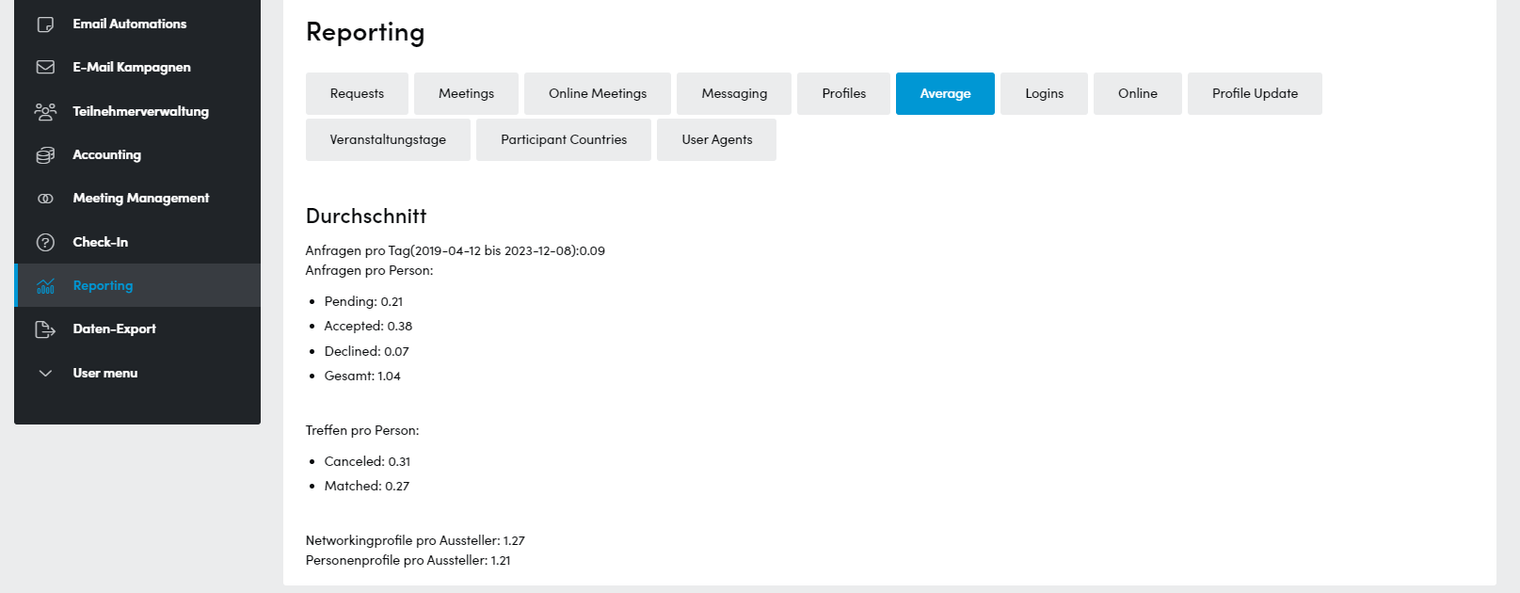
- Averages of different parameters:
- Requests per day
- Requests per person that are:
- Pending
- Accepted
- Declined
- Total requests per person
- Meetings per person that are:
- Canceled
- Matched
- Product profiles per exhibitor
- Person profiles per exhibitor
Logins
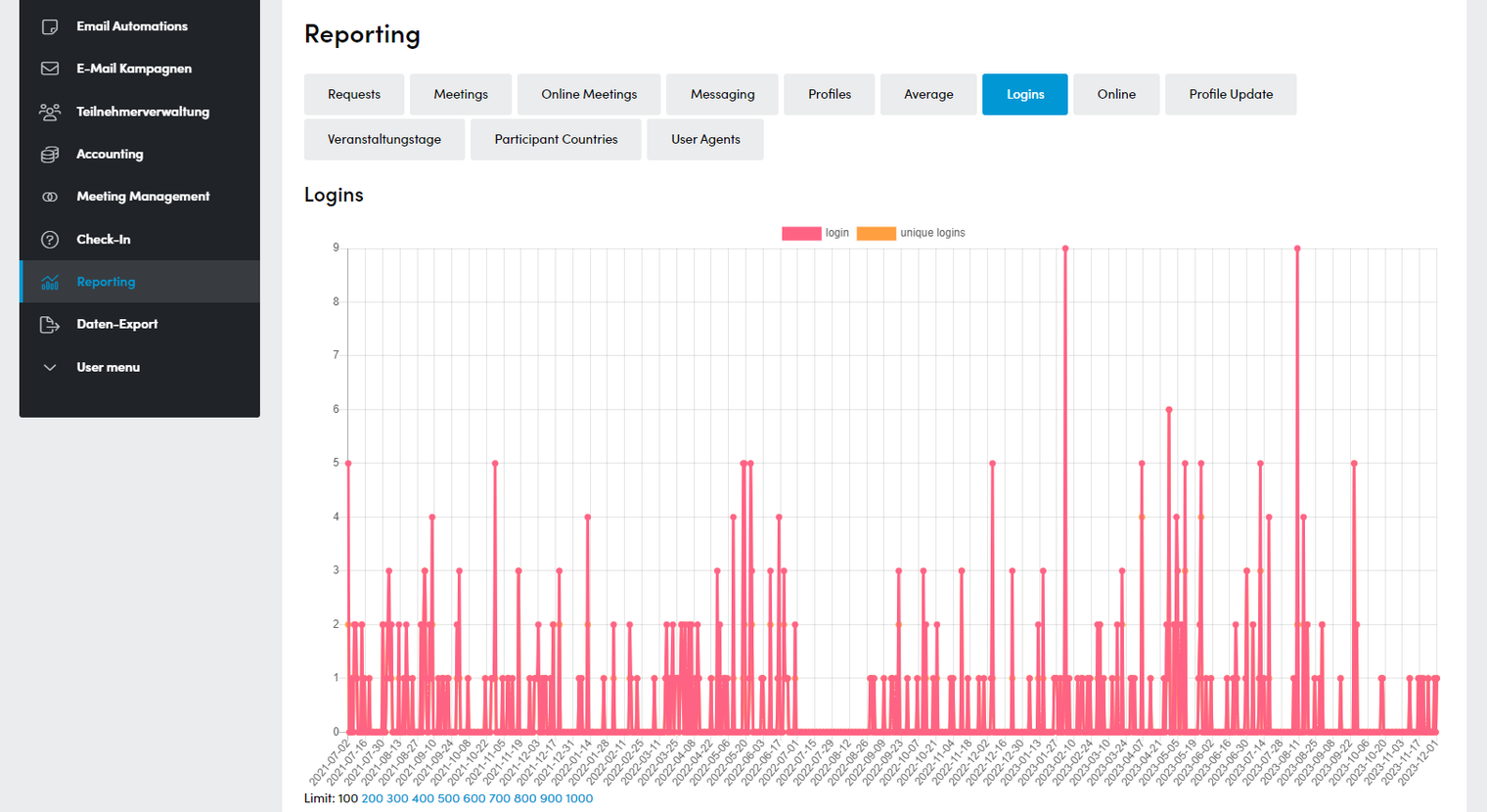
- Display of all logins that have taken place in one day
- Unique Logins shows the number of different users who have logged in on one day
- Categories can be shown and hidden by clicking on them in the legend
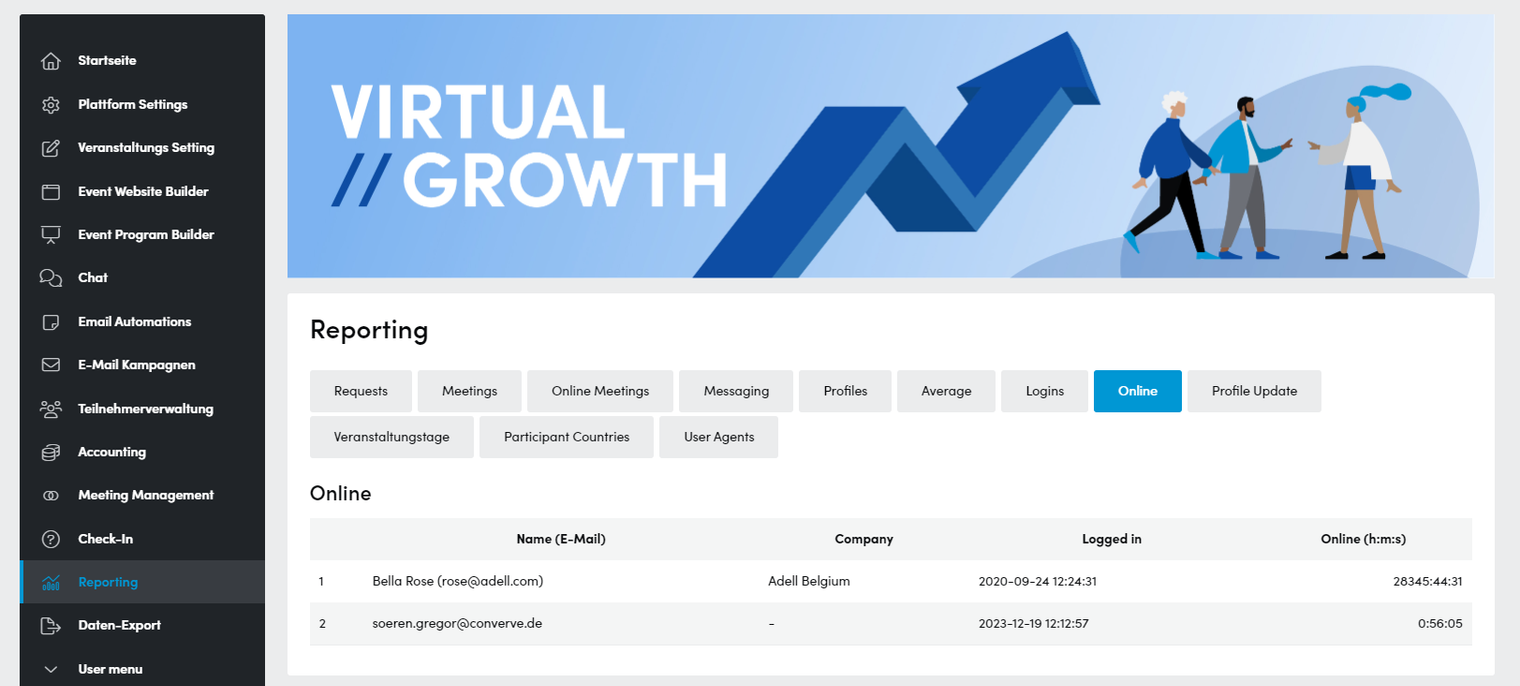
Online
- List of all users currently logged in
- The moment of login and the time that has elapsed since then are displayed
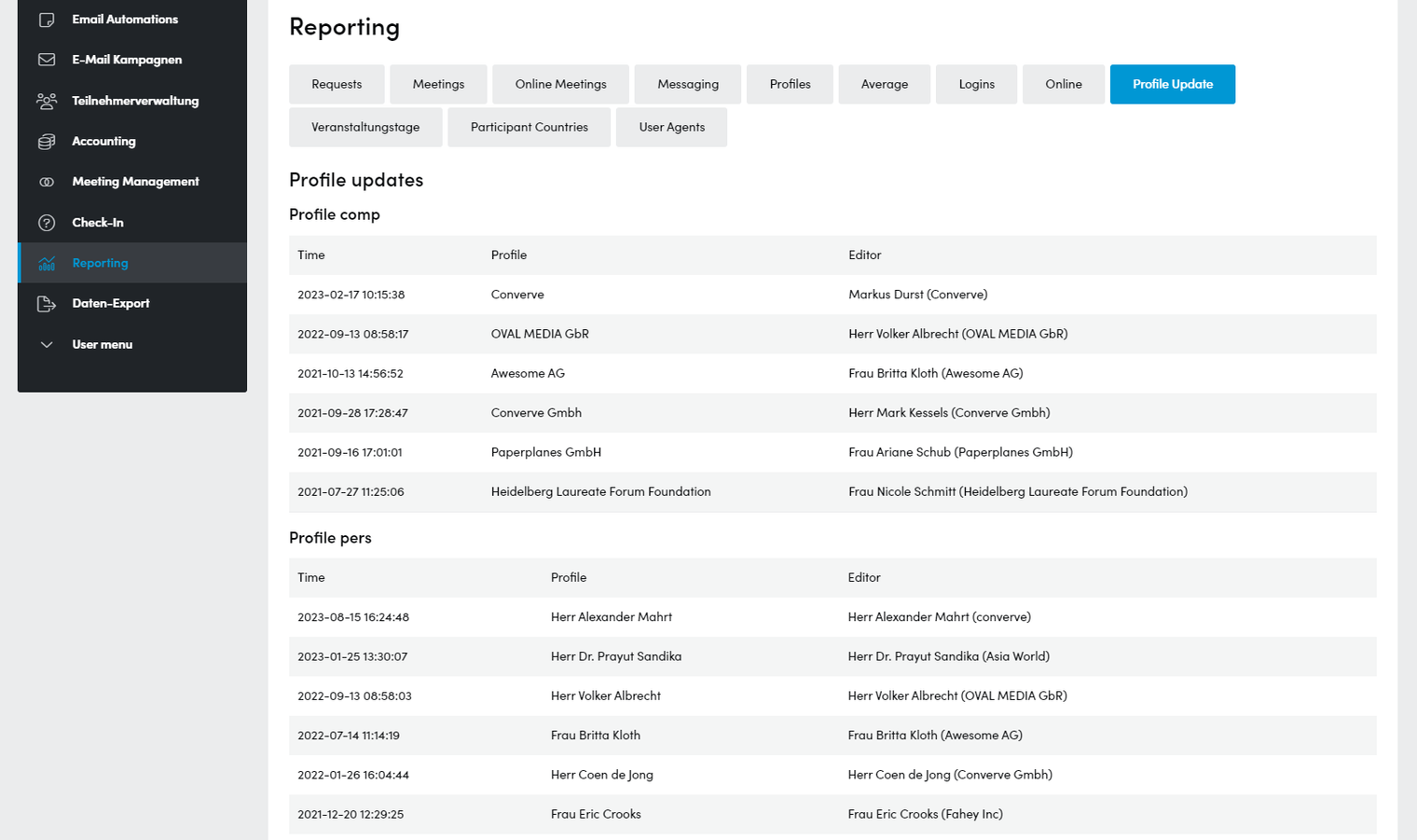
Profile Update
- Listing of the most recently edited profiles including the user who made the edit.
This tells you whether a user has made a change themselves or whether it was made by a (company) admin. - There is one list for each profile type
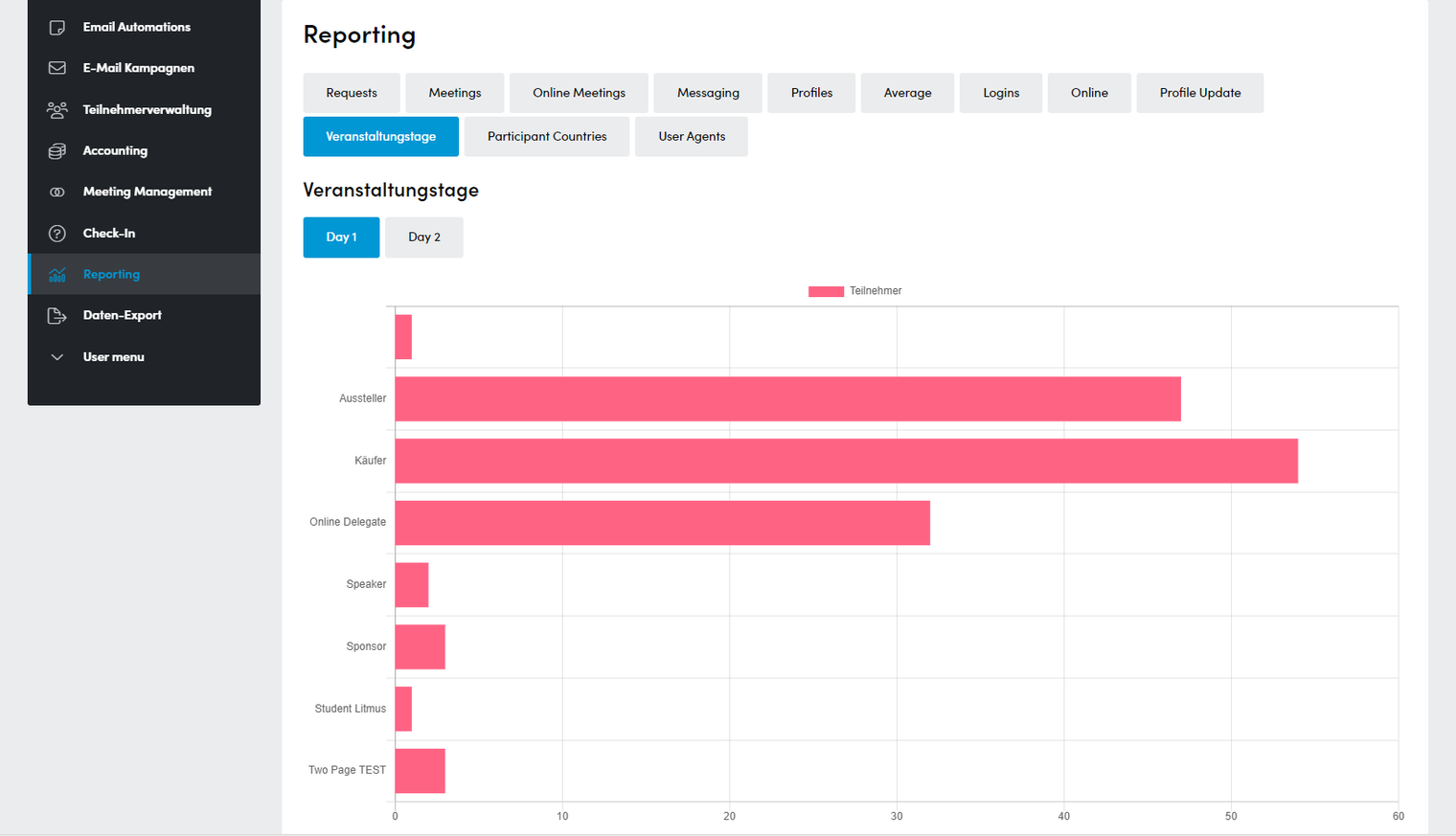
Event days & table capacity
- Display of registered participants per category and per event day
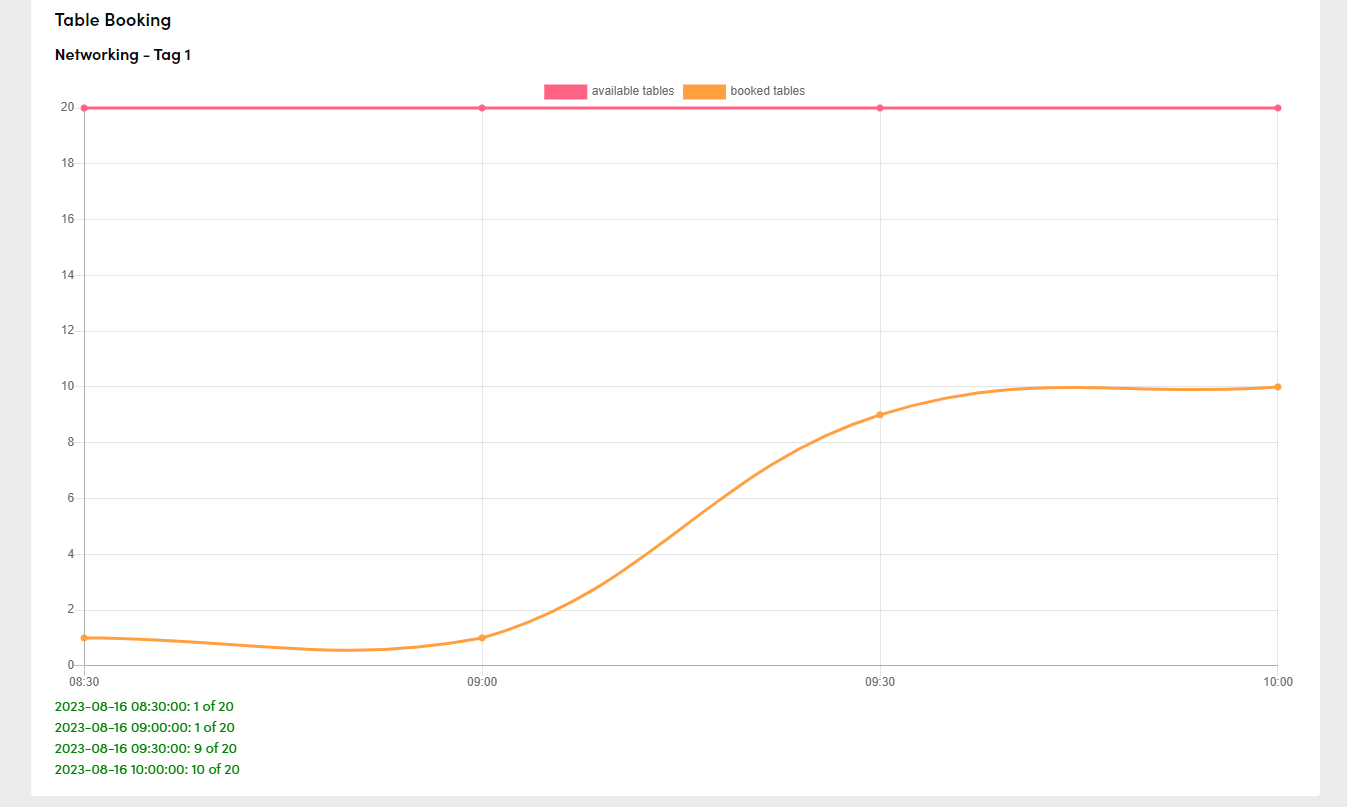
- Display of available and booked meeting “tables” by time per event day
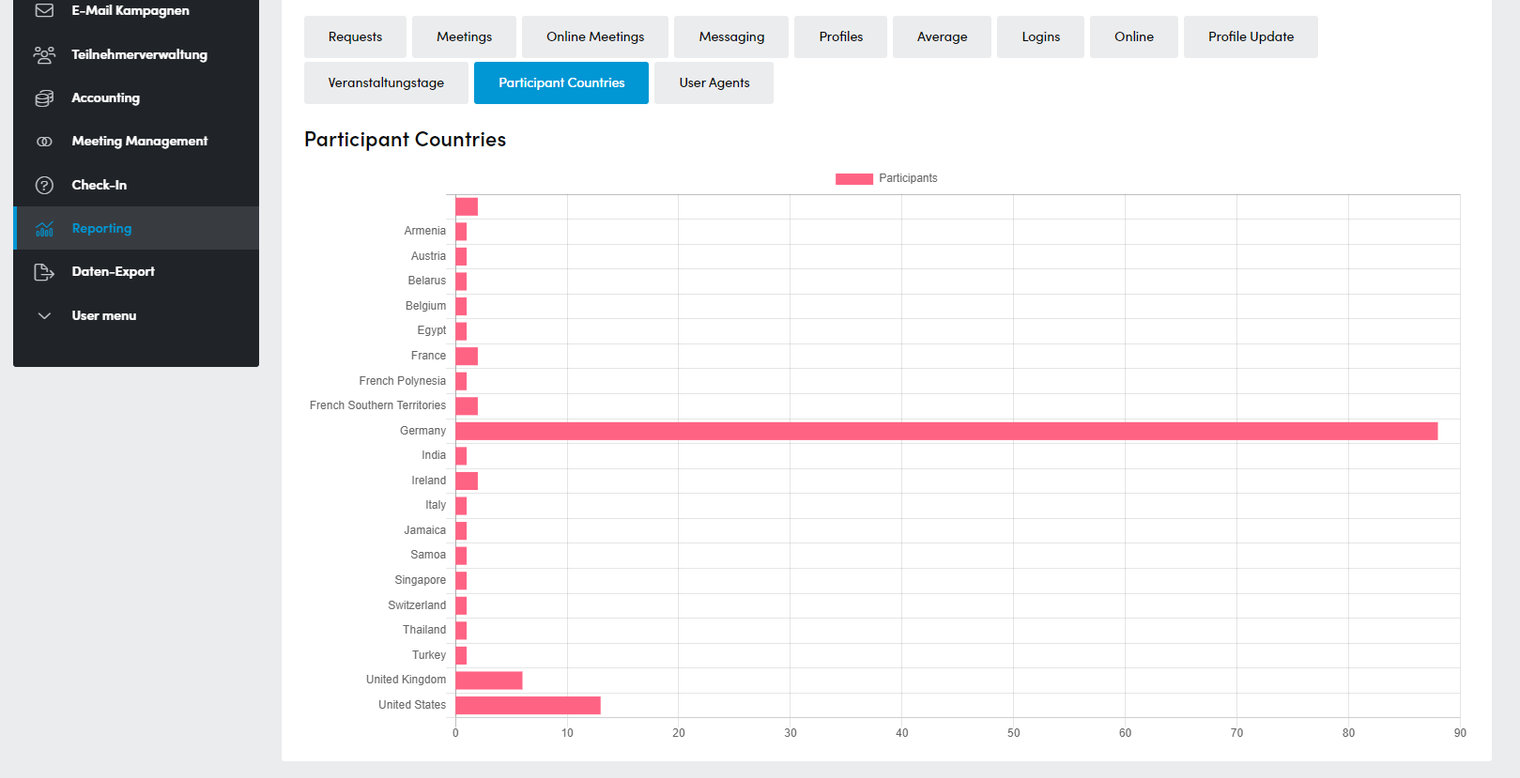
Participant Countries
- Anzahlen der teilnehmenden Firmen je Land (setzt die Abfrage des Landes in der Registrierung voraus)